On my DGX Spark, I want to work with text models, generate images, and experiment with voice and music. Each of those workloads has its own runtime. After starting a few of them, even a simple question can take some digging: what’s running right now?
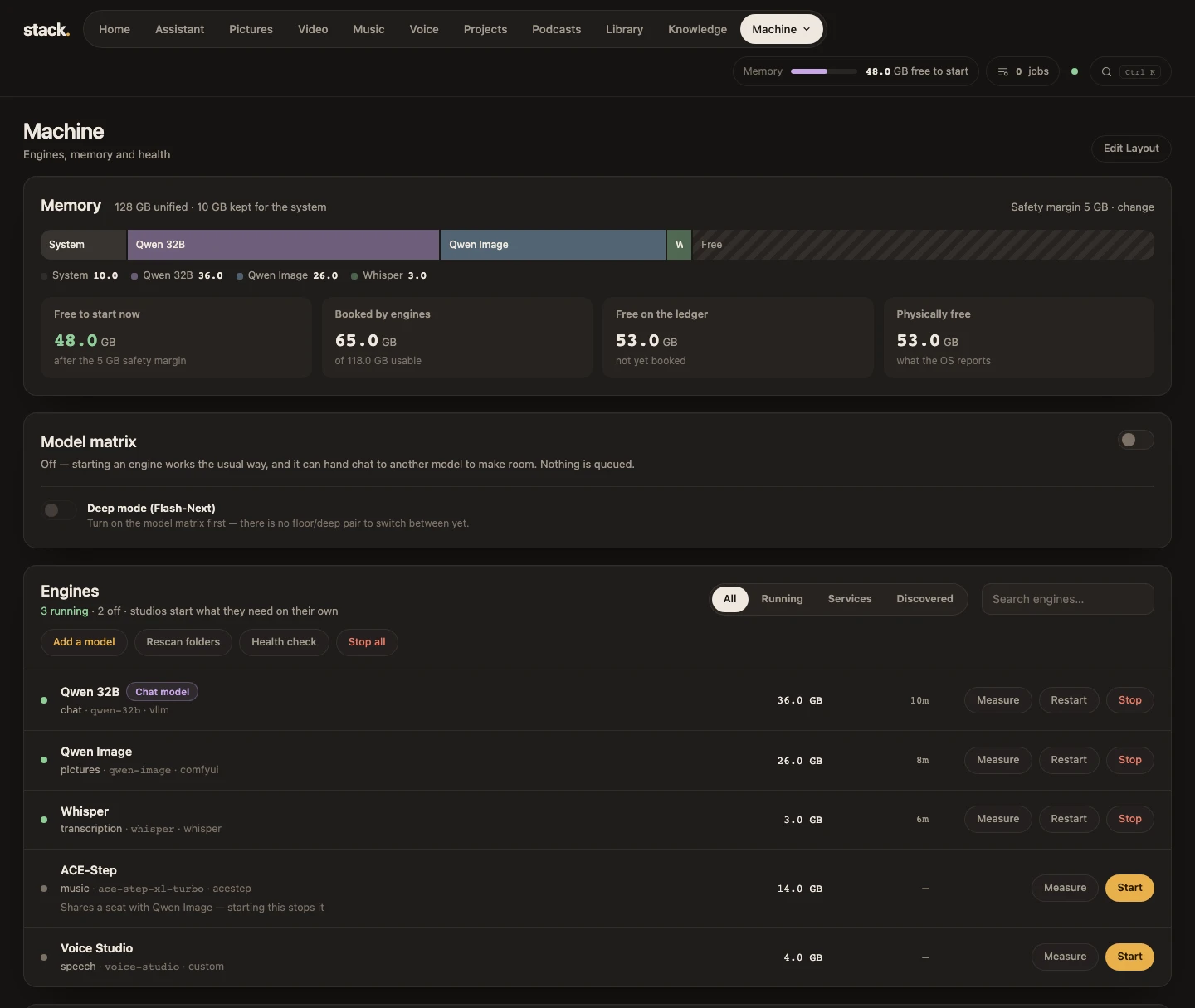
I built Stack to give me one place to see and manage those workloads. The dashboard shows which models are running and lets me follow their status as I work. The idea is to spend less time keeping track of processes and more time trying things with the models.
Treat the models like services
A model can take time to load, and it competes for memory with whatever else is running. That matters more when several workloads share one machine. I want to be able to see what’s up, what I can use now, and what I might stop to make room for the next thing.
There’s a familiar IT operations problem in all of this. Once I rely on something often enough, I want to be able to see its state and recover it when something goes wrong. Stack is where I’m working through what that looks like for local AI.
The Stack overview on 404ops has more about the dashboard and the workloads it brings together.